Next
Generation of Resident®
We’re working on the next version of Resident, and we want to show you how it’s coming together. This page is where we’ll share sneak peeks, early previews of upcoming features, and highlights of the changes that will be part of Resident v4. Follow along to see what we’re currently building, how the product is evolving, and what new capabilities are on the way.
Check back regularly for new updates. Every sneak peek brings us one step closer to the release of Resident v4.
If you haven’t already, you can sign up for our newsletter to get all of the future sneak peeks straight to your inbox.

Development Sneak Peeks
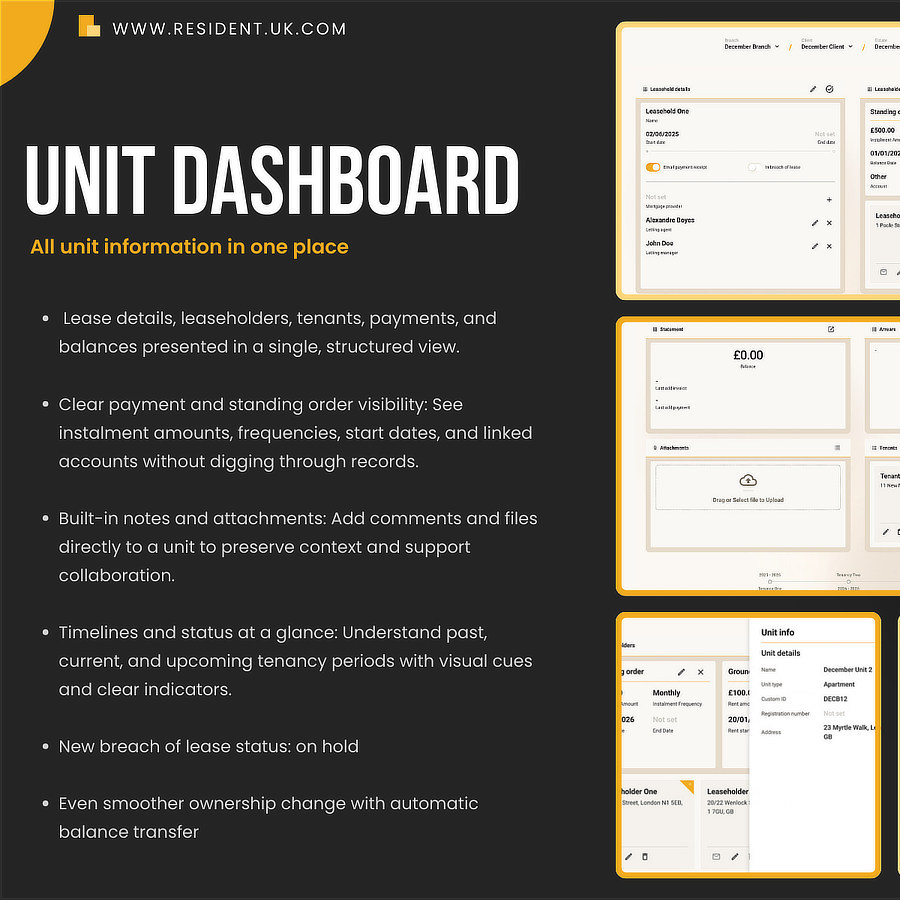
Resident v4 sneak peek #4 – UNIT DASHBOARD
Welcome to our fourth sneak peek. We continue to discover new areas of the next version of Resident. This time, […]
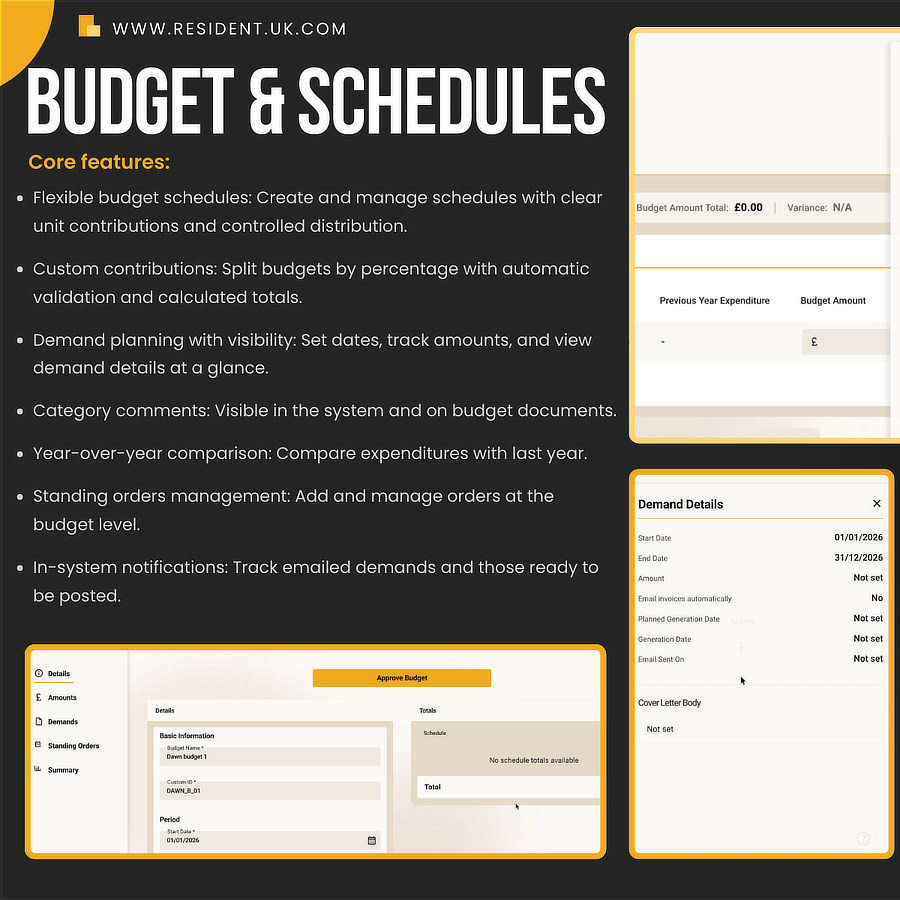
Resident v4 sneak peek #3 – Budget and Schedules
Welcome to our third sneak peek. We’re continuing to reveal what’s coming in the next version of Resident, and today […]
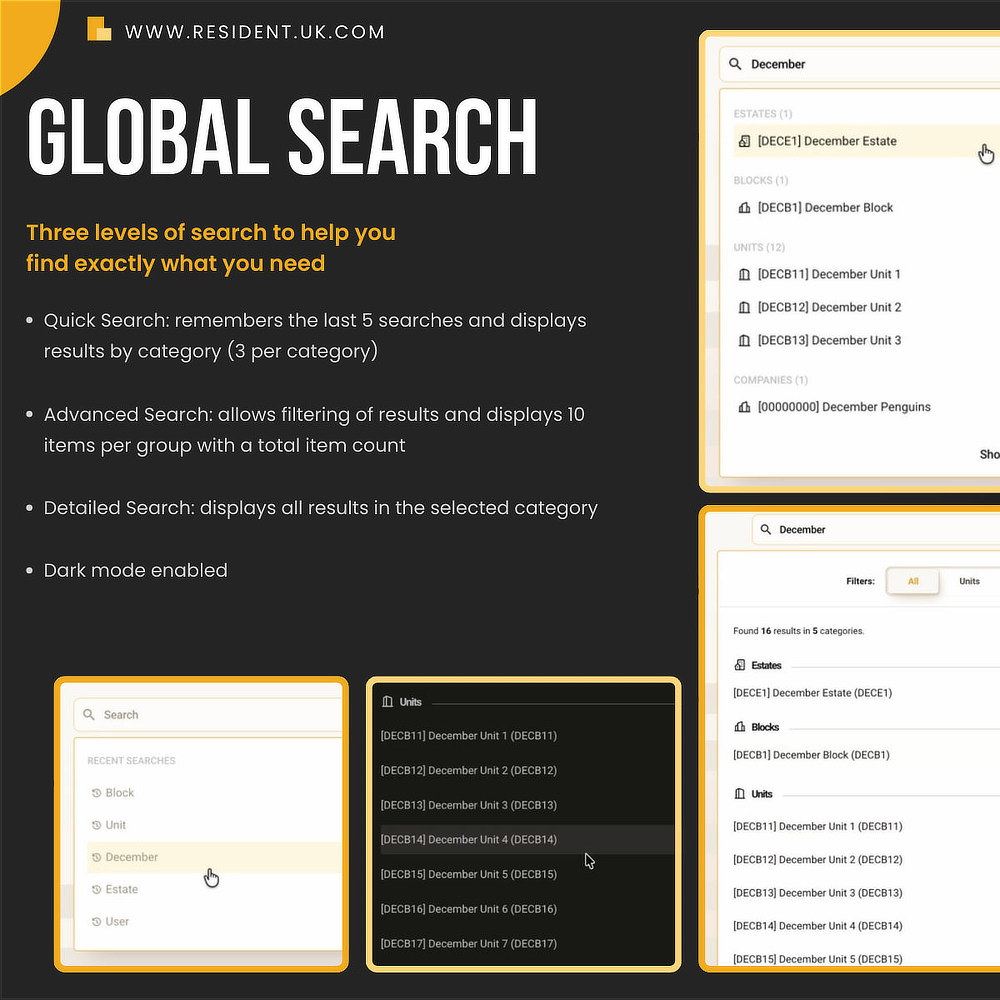
Resident v4 sneak peek #2 – Global Search
Welcome to our second sneak peek. We’re continuing to reveal what’s coming in the next version of Resident, and today […]

The new version of Resident – coming in 2026!
We’ve been busy behind the scenes working on something special – a faster, sleeker, and smarter Resident experience. From Q2 […]
FAQ
We’ve been busy behind the scenes building the next generation of Resident. Version 4 is our most significant upgrade to date — built on a faster, sleeker, and smarter foundation. Below are the answers to the most common questions regarding the rollout and new features.
- Optional Dark Mode: A cleaner look that’s easy on the eyes, day or night.
- Slide-out Panels: Complete tasks and view details without ever leaving your current screen.
- "My Work" Hub: A single control centre for your blocks, work orders, and compliance priorities, highlighted with simple traffic-light cues.
- Quick Search: Remembers your last five searches and groups results by category.
- Advanced Search: Offers precision filtering and shows up to 10 results per group.
- Detailed Search: Provides full visibility into every piece of data within a selected category.
- Budgeting & Scheduling: Split budgets across units by percentage with automatic validation, compare expenditures year-over-year, and add category comments visible on documents.
- Standing Orders: Manage these directly at the budget level with in-system notifications.
- Automated Arrears: Enjoy end-to-end automation with bulk triggers, skip-step controls, and breach-of-lease tracking across estates or blocks.
- Leaseholder & Director Portals: Faster self-service for budgets, statements, and messages.
- Supplier Portal: A dedicated space for suppliers to upload invoices, manage work orders, and update insurance details directly.